



ELM 2026 is here: the biggest evolution of ENTTEC LED Mapper yet
ENTTEC’s award-winning LED mapping software returns with live layer effects, true 3D workspaces, a rebuilt media engine, Sentry monitoring, Device Manager and a new licensing model built for everything from small creative tests to city-scale pixel projects.
ELM 2026 is designed for a simple reality: LED projects are getting larger, more architectural, more media-rich and more ambitious. A nightclub wall, a sculptural art installation and a bridge-scale media facade may look completely different in the real world, but they all ask the same question of the control system: can every pixel be mapped, visualised, driven and maintained with confidence?
The latest release of ENTTEC LED Mapper answers that question with more creative control, deeper monitoring and significantly expanded scale. It keeps the core ELM promise – fast pixel mapping without needing a full CAD workflow – while adding new tools for live design, 3D layouts, output planning, permanent installation support and modern media playback.
This is not just a bigger version number. ELM 2026 changes how users build looks, test capacity, structure licences and keep permanent pixel installations visible after handover.
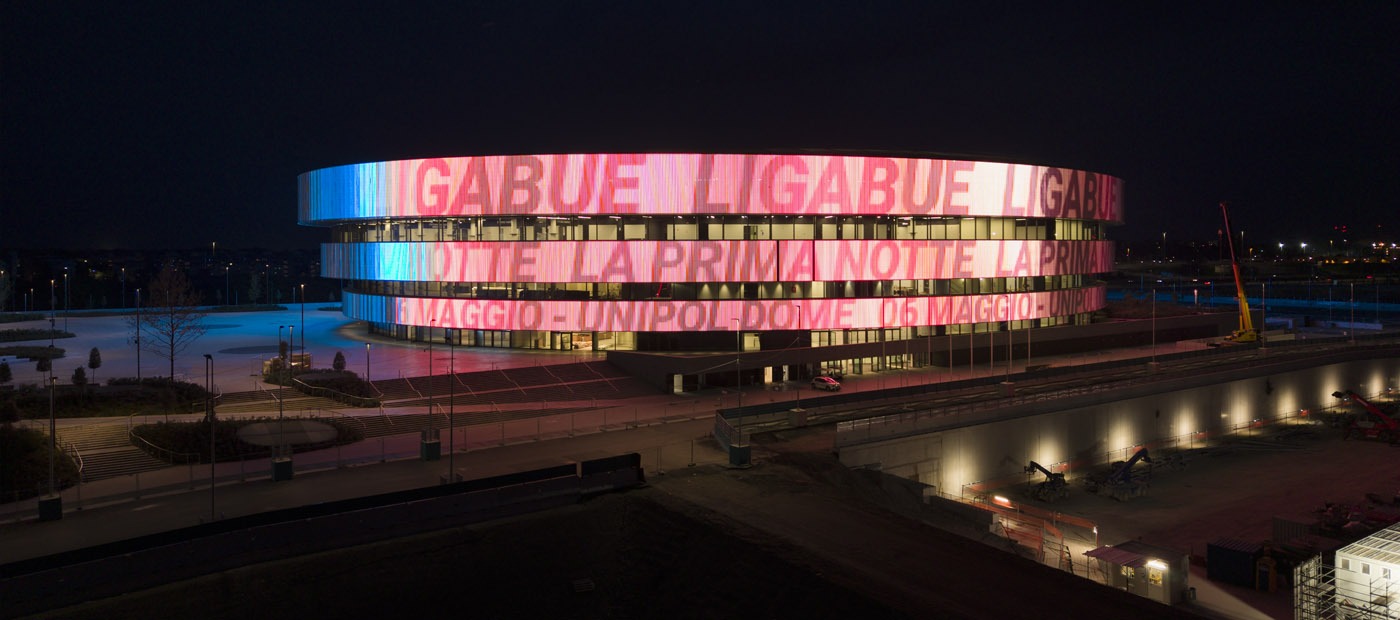
Live layer effects change the creative workflow
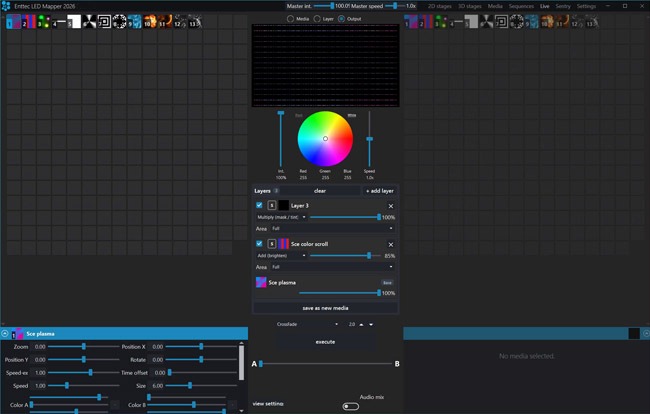
One of the biggest practical changes in ELM 2026 is the ability to stack effects directly in Live View. Users can combine layers, adjust blend modes and tune opacity while the look is being built, rather than wiring together separate stages simply to create a composite result.
That makes experimentation faster. Video, generated content, colour treatments and audio-reactive effects can be layered, tested and refined in the same place they will be performed. Once a composite look works, it can be saved back as reusable media for future shows.
Key point: build richer looks by stacking layers, not by rebuilding your stage structure.
Designed to scale beyond the old ceiling
ELM has always been built for serious pixel mapping, but ELM 2026 pushes the scale of the software much further. The new generation is built to support up to 32,768 universes per protocol, with multi-NIC output so large projects can be distributed across multiple network interfaces instead of being forced through a single port.
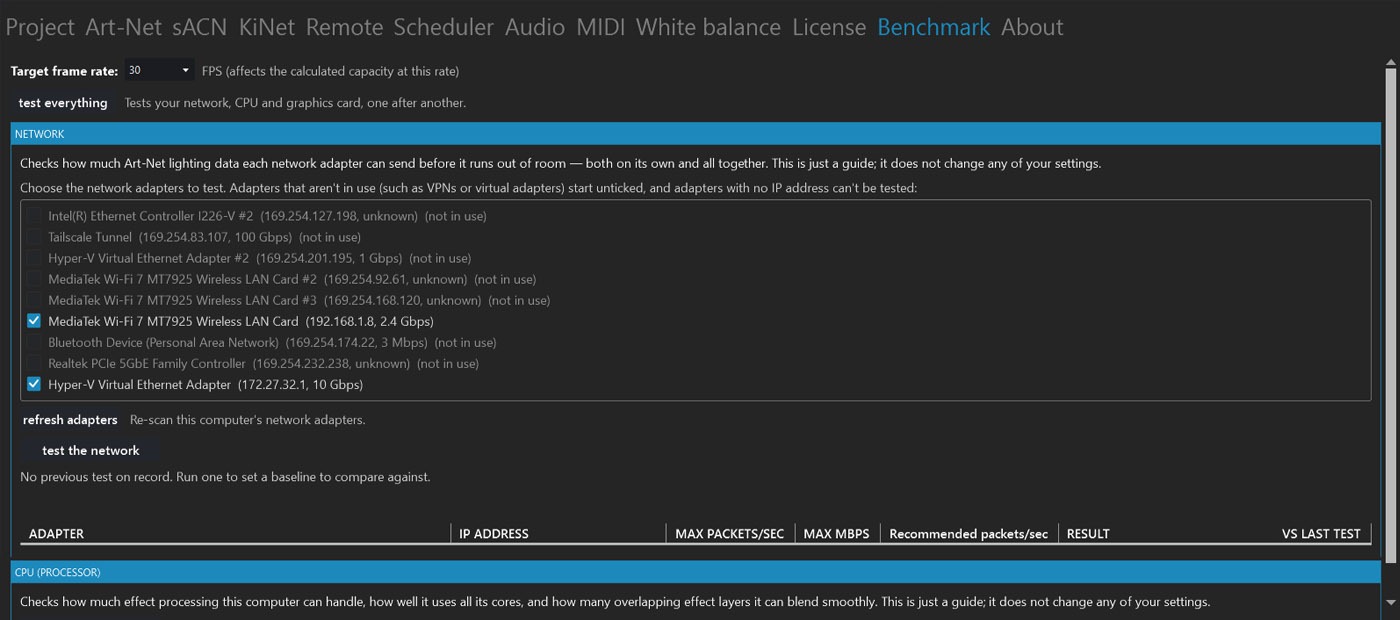
That matters because pixel count is not just a licence number. It is bandwidth, packet rate, network design and real PC performance. ELM 2026 adds output benchmarking and headroom tools so users can check what their actual computer and network hardware can sustain before committing to a show design.
More sources, more shaders, more precision
Rebuilt media engine
A modern media engine brings broader video format support, updated codecs, NDI 6.0, Spout updates, IP/network cameras and local capture devices as live sources.
130+ GPU shaders
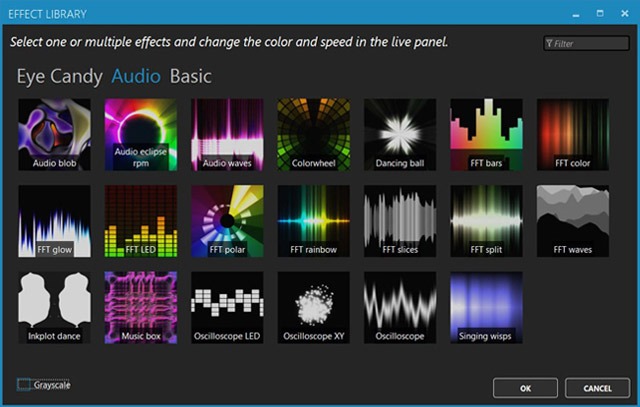
A larger baked-in effects library gives users more generators, audio-reactive looks and live-editable controls without relying on loose shader files.
16-bit mapping
16-bit LED mapping expands precision for high-bit-depth fixtures and more demanding colour output workflows.
True 3D tools for real-world LED volumes
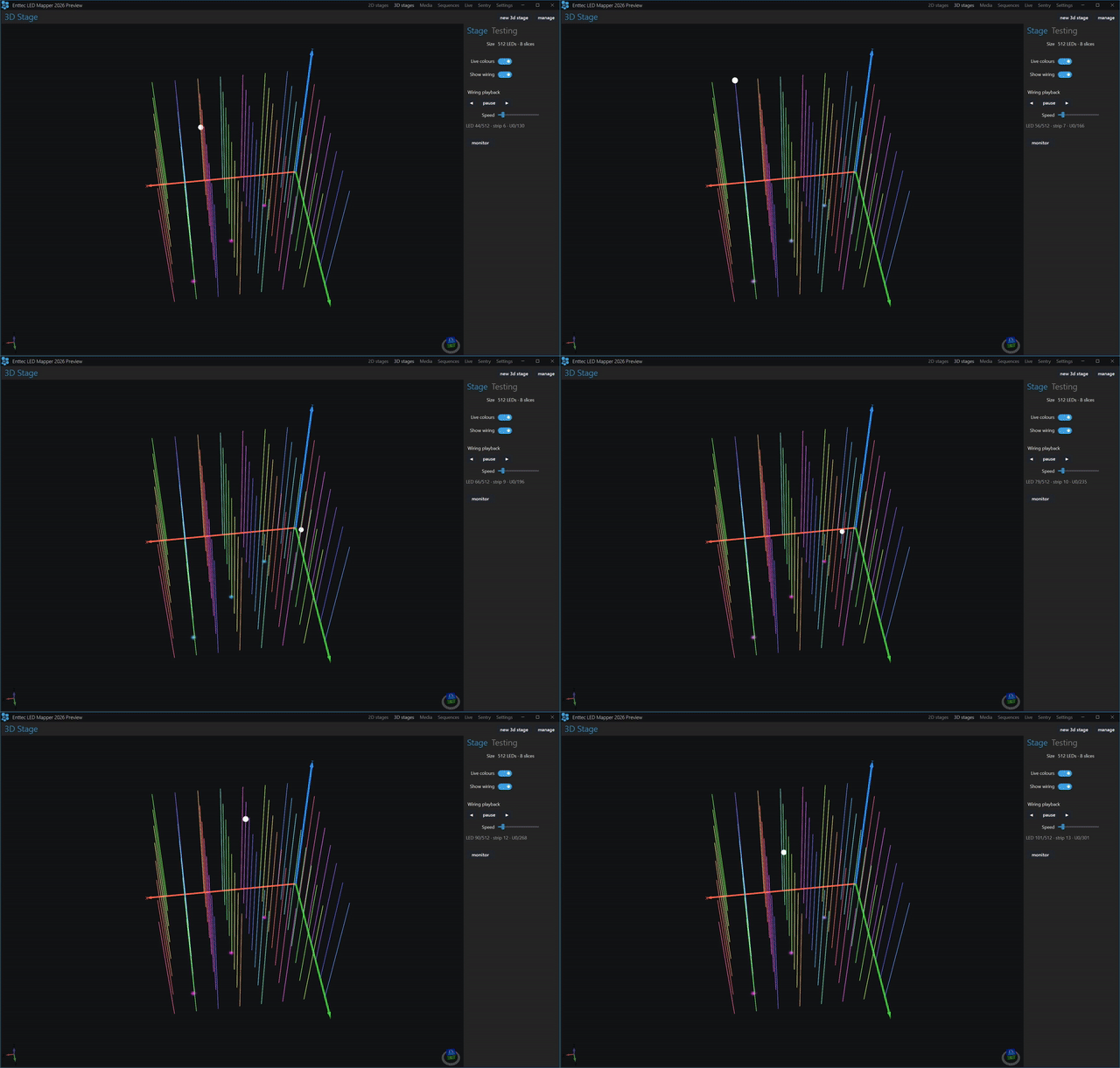
Not every LED project is a flat wall. Sculptures, cubes, hanging volumes, bridges and architectural arrays often occupy real space. ELM 2026’s 3D workspace gives designers and technicians a clearer way to author, address, wire, test and visualise layouts that need depth as well as width and height.
For teams moving from simple strips to volumetric installations, that visual context makes mapping easier to understand, easier to explain and easier to troubleshoot.
Sentry brings monitoring into the ELM workflow
For permanent installations, creative output is only half the story. Once a facade, venue or landmark is handed over, the operator needs to know when fixtures, gateways or sensors stop behaving as expected.
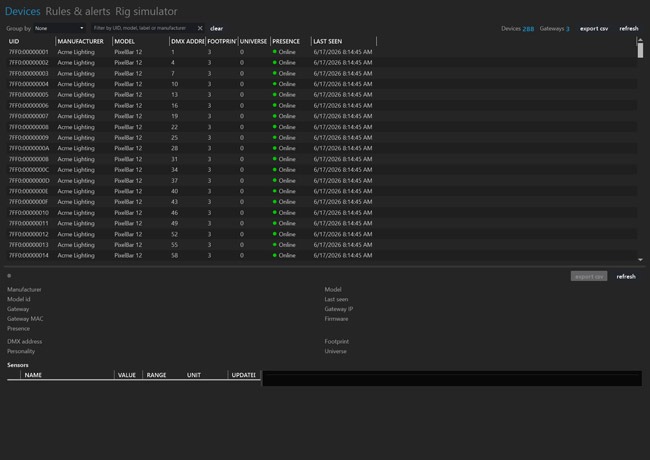
Sentry adds an RDM-over-Art-Net workspace inside ELM, giving users live fixture inventory, device status, sensor feedback and alert tools. It is built for sites where a fault may be physically hard to reach, operationally important, or invisible until somebody notices a dark section of the installation.
For architectural and architainment projects, Sentry turns ELM from a mapping tool into part of the long-term installation support story.
A clearer way to choose ELM
ELM 2026 also introduces a clearer licensing model. Instead of presenting users with a long list of capacity-only choices, the new structure is organised around named editions and scalable add-on packs.
Users can evaluate every feature in Demo mode, run small projects with the Free edition, step into Professional for more serious creative work, or choose Architectural when Device Manager, Sentry monitoring and larger included capacity are required. As projects grow, universe and Sentry packs can expand the licence without forcing the user to start again.
With ELM 2026, users can start with the edition that fits the job in front of them, then expand capacity and monitoring as their projects grow.
Built for the wider ENTTEC ecosystem
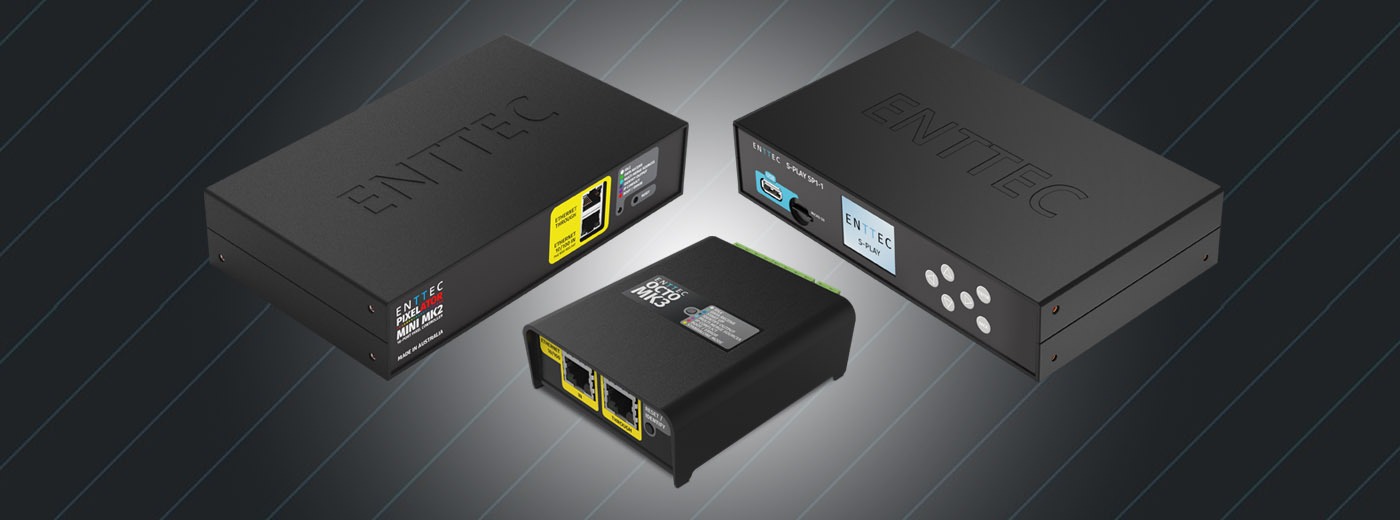
ELM is software, but the best pixel projects are complete systems. ELM 2026 is designed to sit naturally alongside ENTTEC pixel controllers, Ethernet-DMX gateways, standalone playback products and monitoring workflows.
Use it to map 2D and 3D pixel layouts, bring in video, generated effects, IP cameras and live streams, then send output over Art-Net, sACN and KiNet. Combine it with playback and scheduling hardware where a show needs to run without a PC on site, or with Sentry visibility where long-term maintenance matters.
Explore ELM 2026
ELM 2026 is available now for Windows 10 and Windows 11. Visit the ELM product page to compare editions, review licensing options, check system requirements and download the latest installer.
Explore ENTTEC ELM 2026
View ELM licensing options
Explore ENTTEC LED pixel control hardware