



<?xml version="1.0"?>
<rss xmlns:atom="http://www.w3.org/2005/Atom" version="2.0">
		<channel><title>[ENTTEC Support Center] Most Popular Articles</title><link>http://www.enttec.com/support-center/rss/kb/most_popular</link><description></description><item><title>Problems getting Open DMX USB to work</title><description>&lt;h2&gt;THE ARTICLE BELOW IS NOT CURRENT AS RECENT VERSIONS OF THE DRIVERS ARE NOW ALL IN ONE TYPE. PLEASE MAKE SURE YOU INSTALL THE LATEST DRIVER FROM OUR WEBSITE&lt;/h2&gt;


&lt;h2&gt;Problem:&lt;/h2&gt;
I have a Open DMX USB connected but no programs find it, windows has detected it though.&lt;h2&gt;Solution:&lt;/h2&gt;
This problem is linked to windows installing it's own VCOM (virtual com port) drivers by default.

The Open DMX USB will ONLY work with the D2XX drivers not the VCOM drivers.
The Open DMX USB should show up as a FTDI D2XX device in the windows Device Manager

Please read:
Trouble shooting the open dmx usb
http://www.enttec.com/support-center/index.php?x=&amp;mod_id=2&amp;root=4&amp;id=44

For instructions in how to install D2XX drivers, please read:
http://www.enttec.com/support-center/index.php?x=&amp;mod_id=2&amp;root=2&amp;id=12


&lt;br&gt;&lt;br&gt;&lt;b&gt;Keywords:&lt;/b&gt; Open DMX USB working</description><link>http://www.enttec.com/support-center/kb/article/3</link><pubDate>Thu, 01 Apr 2010 04:12:26 GMT</pubDate><guid isPermaLink="false">a7f4086b6f9eb11bf1bdf2e72aac902a</guid></item><item><title>Will it work with (insert software here) ?</title><description>&lt;h2&gt;Problem:&lt;/h2&gt;&#xD;
Will it work with (insert software here) ?&#xD;
&lt;h2&gt;Solution:&lt;/h2&gt;&#xD;
Unless the software was written to work with our widget it is very unlikely. Besides most vendors "give away" the software because it only works with their hardware which they sell.&#xD;
&#xD;
This is a form of a "lock in". If you are looking for a control solution that doesn't lock you into a specific hardware device, please look at ENTTEC LightFactory&lt;br&gt;&lt;br&gt;&lt;b&gt;Keywords:&lt;/b&gt; open dmx usb software</description><link>http://www.enttec.com/support-center/kb/article/6</link><pubDate>Mon, 08 Aug 2005 20:29:43 GMT</pubDate><guid isPermaLink="false">b69062d6cc35afcbe18248cf6d92554a</guid></item><item><title>My lighting fixture is not supported by DMXIS. How do I add it?</title><description>&lt;h3&gt;Problem:&lt;/h3&gt;

My lighting fixture does not appear in the DMXIS fixture library. How do I add it?

&lt;h3&gt;Solution 1 - use the online fixture editor&lt;/h3&gt;

The DMXIS fixture editor at http://fixtures.dmxis.com is an easy way to create your own fixture definition from the information available in your fixture manual.

Once you have created and downloaded your new fixture file, &lt;a href="http://www.enttec.com/support-center/kb/article/000096"&gt;follow this procedure&lt;/a&gt; to add it to your DMXIS installation.

&lt;h3&gt;Solution 2 - write a new fixture file manually&lt;/h3&gt;

&lt;p&gt;&lt;i&gt;Note: fixture files are &lt;b&gt;UNIX format text files&lt;/b&gt;! Some Windows editors (such as Notepad) are not suitable for fixture editing, as thay always save in DOS format. We use the excellent &lt;a target=blank href=http://www.crimsoneditor.com&gt;Crimson Editor&lt;/a&gt; for creating our fixture files on Windows)&lt;/i&gt;

&lt;p&gt;To add a new fixture to DMXIS, you simply need to create a new file in the appropriate folder...

&lt;p&gt;&lt;i&gt;Windows: C:/Program Files/ENTTEC/DMXIS/DmxLibrary/
&lt;br&gt;OSX : /Library/Application Support/ENTTEC/DMXIS/DmxLibrary/&lt;/i&gt;

&lt;p&gt;The DmxLibrary folder contains a number of subfolders, one for each manufacturer. When you right-click on a channel slider, these subfolders appear as submenus. You can create your new fixture files in an existing manufacturer subfolder or create your own.

The file contains a list of channels, and each channel has one or more ranges covering the full range 0-255. A range line consists of Type/Min/Max/Label fields. For example, here is a really simple 3 channel fixture file for a device with Pan, Tilt and Speed:

&lt;p&gt;&lt;i&gt;Pan
&lt;br&gt;V,0,255,
&lt;br&gt;Tilt
&lt;br&gt;V,0,255,
&lt;br&gt;Speed
&lt;br&gt;V,0,255,&lt;/i&gt;

&lt;p&gt;Each Channel (Pan/Tilt/Speed) contains a single range covering the full slider range 0-255. The V at the start of the range line means Variable. Variable ranges are displayed as a percentage under the DMXIS slider.

&lt;p&gt;The Label field in these channels is left blank, so we only see the percentage value under the fader.

&lt;p&gt;A range can also be Static. Here is a Shutter channel with simple ON/OFF states:

&lt;p&gt;&lt;i&gt;Shutter
&lt;br&gt;S,0,127,OFF
&lt;br&gt;S,128,255,ON&lt;/i&gt;

&lt;p&gt;Note that it NEVER makes sense for a channel to contain a single static range. If you're using static, you need at least two ranges, as above. Static ranges ALWAYS need a Label too.

&lt;p&gt;Many manufacturers like to cram loads of features into one channel. DMXIS can handle this by mixing Variable &amp; Static ranges. For example, here is a simple Gobo channel with static Closed,Circle,Tunnel,Open states in the lower range, and a variable Spin feature in the upper range:

&lt;p&gt;&lt;i&gt;Gobo
&lt;br&gt;S,0,30,Closed
&lt;br&gt;S,31,60,Circle
&lt;br&gt;S,61,90,Tunnel,
&lt;br&gt;S,91,120,Open,
&lt;br&gt;V,121,255,Spin&lt;/i&gt;

&lt;p&gt;There are two special cases to consider. The first is the Dimmer D range type:

&lt;p&gt;&lt;i&gt;Dimmer
&lt;br&gt;D,0,255,&lt;/i&gt;

&lt;p&gt;Only channels of type "dimmer" will react to the Master Level control on the DMXIS main screen.

&lt;p&gt;The final special case is the Blackout B range type:

&lt;p&gt;&lt;i&gt;Shutter
&lt;br&gt;B,0,127,OFF
&lt;br&gt;S,128,255,ON&lt;/i&gt;

&lt;p&gt;What's this for? Well, some fixtures (including most cheap scanners) do not have variable dimming. But they do usually have a "closed" gobo or an on/off shutter. If this closed/off state is marked in the fixture file with the B state, then that state will be activated when the Master Level control reaches zero.

&lt;p&gt;If you have any questions about writing fixture files, just submit a support ticket and we'll do our best to help. Please attach a copy of the fixture file you are having problems with.&lt;br&gt;&lt;br&gt;&lt;b&gt;Keywords:&lt;/b&gt; fixture</description><link>http://www.enttec.com/support-center/kb/article/50</link><pubDate>Sun, 12 Jun 2011 16:29:40 GMT</pubDate><guid isPermaLink="false">a2af00b20dd05863456f9ace713114cd</guid></item><item><title>Why is this device so cheap compared to others out there?</title><description>&lt;h2&gt;Problem:&lt;/h2&gt;&#xD;
Why is this device so cheap compared to others out there?&lt;h2&gt;Solution:&lt;/h2&gt;&#xD;
 With this widget, we trust the PC to generate DMX data, other devices use a separate microprocessor to generate DMX.&#xD;
On a lightly loaded PC, with the example program we can generate DMX at 40 frames/second. The standard has a maximum of 44 frames/second.&#xD;
One one of our machines here in the office (1.8Ghz) sending 40 frames/second uses less than 1% of CPU.&lt;br&gt;&lt;br&gt;&lt;b&gt;Keywords:&lt;/b&gt; open dmx usb cheap</description><link>http://www.enttec.com/support-center/kb/article/7</link><pubDate>Mon, 08 Aug 2005 20:30:31 GMT</pubDate><guid isPermaLink="false">abd0725d1236252236d9c1c70332c503</guid></item><item><title>Trouble shooting the OPEN DMX USB</title><description>&lt;h2&gt;Please note with the recent FTDI 2 in 1 drivers, the open will now appear as a single USB to serial device. Even though you can access it using D2XX it is not displayed this way any more&lt;/h2&gt;

&lt;h2&gt;Problem:&lt;/h2&gt;
I'm having problems with my Open DMX USB&lt;h2&gt;Solution:&lt;/h2&gt;
 
&lt;p&gt;&lt;font size="3"&gt;&lt;b&gt;&lt;font size="4"&gt;This guide will help you troubleshoot any 
  problems with the OPEN DMX USB &lt;/font&gt;&lt;/b&gt;&lt;/font&gt;&lt;/p&gt;
&lt;p&gt;&lt;b&gt;&lt;font size="4" color="#FF0000"&gt;Disconnect the OPEN DMX USB and reboot your 
  computer. &lt;br&gt;
Do not start any programs, and go to step 1&lt;/font&gt;&lt;/b&gt;&lt;/p&gt;
&lt;p&gt;&lt;font size="3"&gt;&lt;br&gt;
  &lt;b&gt;1-Plug in theOpen DMX USB.&lt;/b&gt;&lt;/font&gt;&lt;/p&gt;
&lt;p&gt;&lt;font size="3"&gt;&lt;br&gt;
  &lt;b&gt;2-&lt;/b&gt;&lt;strong&gt; Please open the windows device manager and check that you have item 1  as 
  shown in the image below&lt;/strong&gt;&lt;/font&gt;&lt;/p&gt;
&lt;p&gt;&lt;font size="3"&gt;&lt;br&gt;
  &lt;img src="http://www.enttec.com/kb_images/device_manager_open.jpg" width="430" height="791"&gt;&lt;br&gt;
  &lt;/font&gt;&lt;/p&gt;
&lt;p&gt;&lt;font size="3"&gt;&lt;b&gt;3-If items 1 is not identical on your system please install the D2XX driver&lt;/b&gt;&lt;br&gt;
  &lt;a href="http://www.ftdichip.com/Drivers/CDM/CDM20600.exe"&gt;http://www.ftdichip.com/Drivers/CDM/CDM20600.exe&lt;/a&gt;&lt;br&gt;
&lt;/font&gt;&lt;/p&gt;
&lt;p&gt;&lt;font size="3"&gt;&lt;b&gt;4-If item 1 has a yellow exclamation mark after installing 
  the driver, you will need to force a driver install.&lt;/b&gt;&lt;br&gt;
  Left click item 1 and select "Update Driver" and follow the screen shots below, 
  the important settings have been highlighted in RED&lt;br&gt;
&lt;/font&gt;&lt;/p&gt;
&lt;p&gt;&lt;font size="3"&gt;&lt;img src="http://www.enttec.com/kb_images/update_vcomdriver_1.jpg" width="503" height="392"&gt; 
  &lt;/font&gt;&lt;/p&gt;
&lt;p&gt;&lt;font size="3"&gt;&lt;img src="http://www.enttec.com/kb_images/update_d2xxdriver_1.jpg" width="503" height="392"&gt;&lt;/font&gt;&lt;/p&gt;
&lt;p&gt;&lt;font size="3"&gt;&lt;br&gt;
  &lt;img src="http://www.enttec.com/kb_images/update_d2xxdriver_2.jpg" width="503" height="392"&gt; 
  &lt;/font&gt;&lt;/p&gt;
&lt;p&gt;&lt;font size="3"&gt;5-If your device manager now looks like the one above for section 
  1, the OPEN DMX USB is now connected and configured correctly.If you still have
  problems, please check the software you are using.&lt;/font&gt;&lt;/p&gt;
&lt;p&gt;&lt;font size="3"&gt;6-If you still have the yellow exclamation marks or the item 
  1  do not appear in your device manager, &lt;br&gt;
please change/swap the USB cable, USB Port. You can also try on another computer&lt;/font&gt;&lt;/p&gt;
&lt;p&gt;&lt;font size="3"&gt;7-After trying item 6 if the device still does not appear, please 
  open a support ticket &lt;/font&gt;&lt;/p&gt;
&lt;br&gt;&lt;br&gt;&lt;b&gt;Keywords:&lt;/b&gt; Trouble shooting the OPEN DMX USB</description><link>http://www.enttec.com/support-center/kb/article/44</link><pubDate>Tue, 23 Aug 2011 23:00:09 GMT</pubDate><guid isPermaLink="false">9f03a0289ce6e37e7a39d1e5134fd241</guid></item><item><title>I built my own device, it doesn't work, can you help me ?</title><description>&lt;h2&gt;Problem:&lt;/h2&gt;&#xD;
I built my own device, it doesn't work, can you help me ?&lt;h2&gt;Solution:&lt;/h2&gt;&#xD;
 To a certain extent we can give you a few hints for things to look at. Building the device on your own requires some electronics know-how and debug skills. The device is all SMD so you also need to have some experience with that too. First thing to do would be to subscribe to the mailing list and ask questions there.</description><link>http://www.enttec.com/support-center/kb/article/5</link><pubDate>Mon, 08 Aug 2005 20:28:56 GMT</pubDate><guid isPermaLink="false">86d9a967924678cba51d641f91a692bd</guid></item><item><title>Is this design really free ?</title><description>&lt;h2&gt;Problem:&lt;/h2&gt;&#xD;
Is this design really free ?&lt;h2&gt;Solution:&lt;/h2&gt;&#xD;
 Yes, we have released it under the GPL http://www.gnu.org/copyleft/gpl.html you can modify, improve ...&#xD;
All we require is for you to give back any changes to the community. you can either contact us to put on our website or put on your own.&#xD;
&lt;br&gt;&lt;br&gt;&lt;b&gt;Keywords:&lt;/b&gt; open dmx usb design license</description><link>http://www.enttec.com/support-center/kb/article/4</link><pubDate>Mon, 08 Aug 2005 20:28:17 GMT</pubDate><guid isPermaLink="false">413842fd074a1e9048a20c51bb6207c3</guid></item><item><title>Can I have multiple devices plugged together ?</title><description>&lt;h2&gt;Problem:&lt;/h2&gt;&#xD;
Can I have multiple devices plugged together ?&lt;h2&gt;Solution:&lt;/h2&gt;&#xD;
 Theoretically you could, but as all the devices would appear as the same in the USB descriptors, you can not know which device is which or what DMX universe is going to which device. This would also change at each reboot or startup ! Also as the PC is responsible for the DMX generation as more devices are put on the USB bus, timing will become erratic.&#xD;
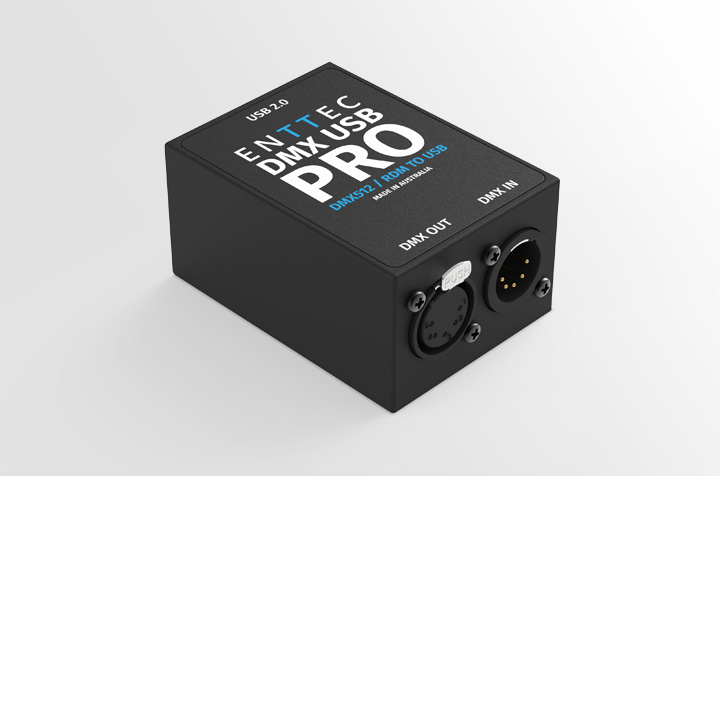
For multiple universe operation or professional applications, we would strongly recommend the DMX USB Pro, which has an on board processor, DMXEthergate Mk2, or Datagate DME. &#xD;
Our ethernet based products are even easier to setup than USB as there is no driver to load or setting to configure, they also offer many other advantages.&lt;br&gt;&lt;br&gt;&lt;b&gt;Keywords:&lt;/b&gt; multiple dmx usb</description><link>http://www.enttec.com/support-center/kb/article/9</link><pubDate>Mon, 08 Aug 2005 20:33:14 GMT</pubDate><guid isPermaLink="false">9480c8b1d9d366ed8bec32ee21c767c4</guid></item><item><title>Trouble Shooting DMX USB PRO: Windows</title><description>&lt;html&gt;
&lt;head&gt;
&lt;style&gt;
p { font-family: "Trebuchet MS"; color: #232323; font-size: 14px; background: #DBDBDB; border: 1px solid blue; width: 800px; padding: 10px 10px 10px 10px;}                                                         .style1 { font-family: "Trebuchet MS"; font-size: 12px; padding-left: 7px; padding-right: 7px; }
a:hover {border-bottom: 1px solid #f9b72a;} 
.style4 {font-family: "Trebuchet MS"; font-size: 18px;}
img { margin: 10px 10px 10px 10px; padding: 10px 10px 10px 10px }
&lt;/style&gt;
&lt;/head&gt;
&lt;body&gt; 
&lt;div class='style4'&gt; &lt;font size='5' color='red'&gt;  DMX USB PRO Not found, Can't Connect or Driver problems ? &lt;/font&gt;&lt;/div&gt;
&lt;font size='4' color='green'&gt; &lt;b&gt; Solution: (Windows only) &lt;/b&gt;&lt;/font&gt; &lt;br/&gt;

&lt;p&gt; &lt;b&gt;1. &lt;/b&gt; Download &amp; install "&lt;b&gt;USB Pro Utility&lt;/b&gt;" on your computer &lt;br/&gt;
&lt;a target='_blank' style='color: #101af2;' href='http://www.enttec.com/download/pro_utility_setup.exe'&gt; http://www.enttec.com/download/pro_utility_setup.exe &lt;/a&gt;
&lt;/p&gt;

&lt;p&gt; &lt;b&gt;2. &lt;/b&gt; If possible, unplug any other USB hardware that is similar to USB PRO from your computer. &lt;/p&gt;

&lt;p&gt; &lt;b&gt;3. &lt;/b&gt; Download &amp; install latest drivers for DMX USB PRO on your computer &lt;br/&gt;
&lt;a target='_blank' style='color: #101af2;' href='http://www.enttec.com/dmx_usb/CDM20802.exe'&gt; http://www.enttec.com/dmx_usb/CDM20802.exe &lt;/a&gt;&lt;/p&gt;

&lt;p&gt; &lt;b&gt;4. &lt;/b&gt; Plug the USB PRO to your computer, and open the "&lt;b&gt;USB Pro Utility&lt;/b&gt;". &lt;br/&gt; Click on "Find PRO &amp; Connect" button and wait while the program searches for USB PRO on your computer. &lt;br/&gt;
	&lt;img src='http://www.enttec.com/img/pro_utility/pro_util1.png' border=0 /&gt; 
	&lt;br/&gt;	&lt;b&gt; You should now encounter one of the following scenarios: &lt;/b&gt;
&lt;/p&gt;


&lt;p&gt; &lt;b&gt;5. &lt;/b&gt; &lt;font color='blue'&gt; &lt;b&gt; USB PRO found &lt;/b&gt; &lt;/font&gt; , but with a message saying that you need to update firmware. 
	 &lt;img src='http://www.enttec.com/img/pro_utility/pro_util2.png' border=0 /&gt; 
	&lt;br/&gt; - Click OK on the message, Click "&lt;b&gt;Update Firmware&lt;/b&gt;", browse to where you installed Pro Utility
	&lt;br/&gt; - firmware is usually under &lt;b&gt; /Program Files/ENTTEC/DMX USB PRO/ &lt;/b&gt;
	&lt;br/&gt; - Select the appropriate firmware file, most common is &lt;b&gt; dmx_144.bin &lt;/b&gt;, unless you are using ENTTEC RDM Apps.
	&lt;br/&gt; - Select the firmware file, click OK and wait for Firmware to be updated on the PRO.
	 &lt;img src='http://www.enttec.com/img/pro_utility/pro_util_fw.png' border=0 /&gt; 
	&lt;br/&gt; - If firmware &lt;font color='red'&gt; update failed &lt;/font&gt; , please try udpating again. If it fails the second time, go to &lt;b&gt; Step 7. &lt;/b&gt;
	&lt;br/&gt; - On firmware success, you should see the PRO connected with it's serial No., go to &lt;b&gt; Step 8 &lt;/b&gt;.
	&lt;br/&gt; &lt;font color='red'&gt; Please Note: Do not use rdm_303 firmware on DMX USB PRO, it's only meant for RDM USB PRO &lt;/font&gt;
&lt;/p&gt;

&lt;p&gt; &lt;b&gt;6. &lt;/b&gt; &lt;font color='red'&gt;&lt;b&gt; USB PRO NOT found &lt;/b&gt; &lt;/font&gt;:  &lt;br/&gt; Please make sure USB PRO is connected to computer &amp; drivers have been installed, 
    &lt;br/&gt; - if possible change to another USB port, and try &lt;b&gt; step 4 &lt;/b&gt; again
	&lt;br/&gt; - if the Pro Utility still says not found, go to &lt;b&gt; step 7 &lt;/b&gt;.
&lt;/p&gt;

&lt;p&gt; &lt;b&gt;7. &lt;/b&gt; We have exhausted most of the common trouble-shooting issues, &lt;br/&gt; and it seems your USB PRO could have a problem, that needs to have a deatiled look at
	&lt;br/&gt; - Please Click "&lt;b&gt;Copy Log to Clipboard&lt;/b&gt;" in the Utility screen.
	&lt;br/&gt; - Go to &lt;a target='_blank' style='color: #101af2;' href='http://www.enttec.com/support-center/contact'&gt; ENTTEC Support &lt;/a&gt;, and paste the information in the message field
	&lt;br/&gt; - Also add your USB PRO Serial No., so we can get back to you as quickly as possible.
&lt;/p&gt;

&lt;p&gt; &lt;b&gt;8. &lt;/b&gt; Pro succesfully found : There seems to be no problems with your USB PRO.
	 &lt;img src='http://www.enttec.com/img/pro_utility/pro_util_success.png' border=0 /&gt; 
	&lt;br/&gt; - You can use "&lt;b&gt;DMX Send Test&lt;/b&gt;", and "&lt;b&gt;DMX Receive Test&lt;/b&gt;" to troubleshoot if DMX is being sent &amp; received.
	&lt;br/&gt; - If the software you are using, cannot find the USB PRO, contact the support of the relevant software.
&lt;/p&gt;

&lt;div class='style1'&gt;
To learn about latest news &amp; offers from ENTTEC, join us on &lt;a href='http://www.facebook.com/pages/ENTTEC/214197312052'&gt; Facebook &lt;/a&gt; and &lt;a href='http://twitter.com/enttec'&gt; Twitter &lt;/a&gt; &lt;br/&gt;
&lt;/div&gt;

&lt;/body&gt; &lt;/html&gt;
</description><link>http://www.enttec.com/support-center/kb/article/88</link><pubDate>Fri, 17 Sep 2010 03:53:56 GMT</pubDate><guid isPermaLink="false">4ab238e73d6d90bc0abb6789ec5ce241</guid></item><item><title>ODE not establishing ethernet link</title><description>&lt;h2&gt;Problem:&lt;/h2&gt;
The ODE can't establish an Ethernet link with my switch/hub/computer.
The LINK led flashes on the ODE or switch.
&lt;h2&gt;Solution:&lt;/h2&gt;
&lt;!DOCTYPE html PUBLIC "-//W3C//DTD XHTML 1.0 Transitional//EN" "http://www.w3.org/TR/xhtml1/DTD/xhtml1-transitional.dtd"&gt;
&lt;html xmlns="http://www.w3.org/1999/xhtml"&gt;
&lt;head&gt;
&lt;meta http-equiv="Content-Type" content="text/html; charset=iso-8859-1" /&gt;
&lt;title&gt;Untitled Document&lt;/title&gt;
&lt;/head&gt;

&lt;body&gt;
&lt;p&gt;There is a manufacturing fault with some very early ODE units (2008) where 51K resistors was inserted instead of 51 Ohms&lt;br /&gt;
  This creates a compatibility problem with between the ODE and some network devices.&lt;br /&gt;
Please email support@enttec.com  with your serial number for a confirmation that you have an affected unit and to obtain an RMA&lt;/p&gt;
&lt;p&gt;Here  is a picture of the 4 resistors that need to be changed.&lt;/p&gt;
&lt;p&gt;&lt;img src="http://www.enttec.com/img/ode/ode_mod/resistors.jpg" width="481" height="343" alt="ODE Mod picture" /&gt;&lt;/p&gt;
&lt;/body&gt;
&lt;/html&gt;
&lt;br&gt;&lt;br&gt;&lt;b&gt;Keywords:&lt;/b&gt; ode ethernet</description><link>http://www.enttec.com/support-center/kb/article/47</link><pubDate>Sat, 12 Jun 2010 12:36:48 GMT</pubDate><guid isPermaLink="false">01d2c4d684d03a6d58a04709d1c479f6</guid></item><item><title>Registration code not valid</title><description>&lt;h2&gt;Problem:&lt;/h2&gt;&#xD;
When entering the license code found in the email, Lightfactory reports and invalid license code.&lt;h2&gt;Solution:&lt;/h2&gt;&#xD;
1-Check you are using the latest version of Lightfactory&#xD;
2-Double check that you have entered the code and registration name exactly as it is given in the confirmation email. &#xD;
3-Double check that the serial number matches exactly with the one given by Lightfactory&#xD;
4-Make sure there are no spaces before or after the name and code, and that the case is identical.&#xD;
&#xD;
If you have checked all these points and they are all verified but the system still does not accept the registration please open a support ticket&#xD;
specifying your full registration details and the serial number of the computer you are trying to run Lightfactory on.&#xD;
&#xD;
You can also attach the registration file generate by lightfactory in the "System Properties-&gt;Registration" Tab&#xD;
&#xD;
&#xD;
&lt;br&gt;&lt;br&gt;&lt;b&gt;Keywords:&lt;/b&gt; Registration code not valid error</description><link>http://www.enttec.com/support-center/kb/article/1</link><pubDate>Mon, 08 Aug 2005 16:29:03 GMT</pubDate><guid isPermaLink="false">2a48c437328e334bb96402ce215046d8</guid></item><item><title>Do I Need to install drivers for on Mac OSX</title><description>&lt;html&gt;
&lt;head&gt;
&lt;style&gt;
p { font-family: "Trebuchet MS"; color: #232323; font-size: 14px; background: #DBDBDB; border: 1px solid blue; width: 800px; padding: 10px 10px 10px 10px;}                                                         .style1 { font-family: "Trebuchet MS"; font-size: 12px; padding-left: 7px; padding-right: 7px; }
a:hover {border-bottom: 1px solid #f9b72a;} 
.style4 {font-family: "Trebuchet MS"; font-size: 18px;}
img { margin: 10px 10px 10px 10px; padding: 10px 10px 10px 10px }
&lt;/style&gt;
&lt;/head&gt;
&lt;body&gt; 
&lt;div class='style4'&gt; &lt;font size='4' color='red'&gt;  Do I need to install drivers for DMX USB PRO on Mac OSX ? &lt;/font&gt;&lt;/div&gt;
&lt;font size='4' color='green'&gt; &lt;b&gt; Solution: (Mac OSX only) &lt;/b&gt;&lt;/font&gt; &lt;br/&gt;

&lt;p&gt; &lt;b&gt;OSX 10.5 or above : &lt;/b&gt; 
	&lt;br/&gt; Drivers are already included in OSX , you will just need to plug in the interface.
	&lt;br/&gt; The next step will relate directly to the lighting/control software your are trying to use.
	&lt;br/&gt; You may need to contact the support department of that product for more instructions. 
&lt;/p&gt;

&lt;p&gt; &lt;b&gt;OSX 10.4 and below : &lt;/b&gt; 
	&lt;br/&gt; Please get the drivers from here:
	&lt;br/&gt; &lt;a target='_blank' style='color: #101af2;' href='http://www.ftdichip.com/Drivers/VCP/MacOSX/FTDIUSBSerialDriver_v2_2_14.dmg'&gt;
	http://www.ftdichip.com/Drivers/VCP/MacOSX/FTDIUSBSerialDriver_v2_2_14.dmg &lt;/a&gt;
&lt;/p&gt;

&lt;p&gt; &lt;b&gt; Advanced Troubleshooting: &lt;/b&gt;
&lt;br/&gt; After looking at this 
&lt;a target='_blank' style='color: #101af2;' href='http://www.ftdichip.com/Support/Documents/InstallGuides/Mac_OS_X_Installation_Guide.pdf'&gt; 
Mac OSX Guide at FTDI &lt;/a&gt;  a friendly user wrote in to us saying 
 &lt;br/&gt; -- "I note some small misprints in the Mac OS X installation Guide that might cause some people issues.
  On page 8, cd /System/Library/Extensions rm -r FTDIUSBSerialDriver.kext cd /Library/Receipts rm -r FTDIUSBSerialDriver.kext The rm's don't work 
 they should be: sudo rm -r FTDIUSBSerialDriver.kext [...] sudo rm -r FTDIUSBSerialDriver.kext On page 16, cd /system/library/extensions should be cd /System/Library/Extensions Also on page 16: chgrp -R wheel FTDIUSBSerialDriver.kext sudo chgrp -R wheel FTDIUSBSerialDriver.kext "
 &lt;/p&gt;


&lt;/body&gt; &lt;/html&gt;
</description><link>http://www.enttec.com/support-center/kb/article/90</link><pubDate>Fri, 17 Sep 2010 07:03:47 GMT</pubDate><guid isPermaLink="false">861ee32db2998c5f675334584a891ae9</guid></item><item><title>How do I update/reprogram the firmware in the DMX USB Pro ?</title><description>&lt;html&gt;
&lt;head&gt;
&lt;style&gt;
p { font-family: "Trebuchet MS"; color: #232323; font-size: 14px; background: #DBDBDB; border: 1px solid blue; width: 800px; padding: 10px 10px 10px 10px;}                                                         
.style1 { font-family: "Trebuchet MS"; font-size: 12px; padding-left: 7px; padding-right: 7px; }
a:hover {border-bottom: 1px solid #f9b72a;} 
.style4 {font-family: "Trebuchet MS"; font-size: 18px;}
img { margin: 10px 10px 10px 10px; padding: 10px 10px 10px 10px }
&lt;/style&gt;
&lt;/head&gt;
&lt;body&gt; 
&lt;div class='style4'&gt; &lt;font size='4' color='red'&gt; How do I update/reprogram the firmware in the DMX USB Pro ? &lt;/font&gt;&lt;/div&gt;
&lt;font size='4' color='green'&gt; &lt;b&gt; Solution: (Windows only) &lt;/b&gt;&lt;/font&gt; &lt;br/&gt;

&lt;p&gt; &lt;b&gt;1. &lt;/b&gt; Download &amp; install "&lt;b&gt;USB Pro Utility&lt;/b&gt;" on your computer &lt;br/&gt;
&lt;a target='_blank' style='color: #101af2;' href='http://www.enttec.com/download/pro_utility_setup.exe'&gt; http://www.enttec.com/download/pro_utility_setup.exe &lt;/a&gt;
&lt;/p&gt;

&lt;p&gt; &lt;b&gt;2. &lt;/b&gt; If possible, unplug any other USB hardware that is similar to USB PRO from your computer. &lt;/p&gt;

&lt;p&gt; &lt;b&gt;3. &lt;/b&gt; Plug the USB PRO to your computer, and open the "&lt;b&gt;USB Pro Utility&lt;/b&gt;". 
    &lt;br/&gt; Click on "Find PRO &amp; Connect" button and wait while the program searches for USB PRO on your computer. &lt;br/&gt;
	&lt;img src='http://www.enttec.com/img/pro_utility/pro_util1.png' border=0 /&gt; 
&lt;/p&gt;


&lt;p&gt; &lt;b&gt;4. &lt;/b&gt; Pro succesfully found : 
	&lt;br/&gt; - Click "&lt;b&gt;Update Firmware&lt;/b&gt;", browse to where you installed Pro Utility
	&lt;br/&gt; &lt;img src='http://www.enttec.com/img/pro_utility/pro_util_success.png' border=0 /&gt; 
	&lt;br/&gt; - firmware files are usually under &lt;b&gt; /Program Files/ENTTEC/DMX USB PRO/ &lt;/b&gt;
	&lt;br/&gt; - Select the appropriate firmware file, most common is &lt;b&gt; dmx_144.bin &lt;/b&gt;, unless you are using ENTTEC RDM Apps.
	&lt;br/&gt; - Select the firmware file, click OK and wait for Firmware to be updated on the PRO.
	&lt;br/&gt; &lt;img src='http://www.enttec.com/img/pro_utility/pro_util_fw.png' border=0 /&gt; 
	&lt;br/&gt; - If firmware &lt;font color='red'&gt; update failed &lt;/font&gt; , please try udpating again. &lt;/b&gt;
	&lt;br/&gt; - On firmware success, you should see the PRO connected with it's serial No., and update firmware information.
	&lt;br/&gt;
	&lt;br/&gt; &lt;font color='red'&gt; Please Note: Do not use rdm_303 firmware on DMX USB PRO, it's only meant for RDM USB PRO &lt;/font&gt;
&lt;/p&gt;

&lt;p&gt; &lt;b&gt;5. &lt;/b&gt; Follow this trouble-shooting guide if you encounter any problems
&lt;br/&gt; &lt;a target='_blank' style='color: #101af2;' href='http://www.enttec.com/support-center/kb/article/000088'&gt; DMX USB PRO Trouble-shooting guide &lt;/a&gt;&lt;/p&gt;


&lt;/body&gt; &lt;/html&gt;
</description><link>http://www.enttec.com/support-center/kb/article/33</link><pubDate>Fri, 17 Sep 2010 04:27:53 GMT</pubDate><guid isPermaLink="false">153806153a0adb808155baa0bbfec792</guid></item><item><title>Why do my lights/dimmer flicker ?</title><description>&lt;h2&gt;Problem:&lt;/h2&gt;&#xD;
I have noticed that my dimmer flickers or moving light keeps on moving when I have an open DMX USB controlling it.&#xD;
&#xD;
&lt;h2&gt;Solution:&lt;/h2&gt;&#xD;
With the Open DMX USB the DMX signal is generated by the PC, this means that some parameters (Break length, MaB length, inter-byte time) of the DMX signal can vary from frame to frame.&#xD;
These variations are are perfectly legal under the DMX512 protocol. &#xD;
Unfortunately some DMX devices do not like these timing variations and display strange behaviour.&#xD;
There is no real fix for this, the only thing you can try is adjust the frame rate if the PC software has that setting.&#xD;
The DMX USB Pro has an on-board processor that generates the DMX signal independently of the PC.&#xD;
&lt;br&gt;&lt;br&gt;&lt;b&gt;Keywords:&lt;/b&gt; open dmx usb flicker light</description><link>http://www.enttec.com/support-center/kb/article/25</link><pubDate>Mon, 15 Aug 2005 08:11:18 GMT</pubDate><guid isPermaLink="false">6d9a2edb94d2de07257492933caa20dd</guid></item><item><title>What happens if my host program or computer crashes during a performance?</title><description>&lt;h2&gt;Problem:&lt;/h2&gt;&#xD;
Is DMXIS reliable for live use in a crash situation? Won't my audience be plunged into darkness if my software or computer hangs up?&lt;h2&gt;Solution:&lt;/h2&gt;&#xD;
The DMXIS hardware interface holds a copy of the most recent settings. If your host program or computer should crash, the DMXIS interface will "hold" the last lighting scene played, giving you time to restart your host application or computer.&#xD;
&#xD;
For this to work reliably, USB power needs to be continuously maintained to the DMXIS box. For this reason, it can be a good idea to plug the DMXIS box into an external powered USB hub. This way, you know you can power cycle your computer without cutting the USB power supply to the DMXIS box.</description><link>http://www.enttec.com/support-center/kb/article/54</link><pubDate>Fri, 12 Jun 2009 09:11:37 GMT</pubDate><guid isPermaLink="false">07b9b8e5c32593223d0fe07dd05f1643</guid></item><item><title>Cannot open COM port</title><description>&lt;html&gt;
&lt;head&gt;
&lt;style&gt;
p { font-family: "Trebuchet MS"; color: #232323; font-size: 14px; background: #DBDBDB; border: 1px solid blue; width: 800px; padding: 10px 10px 10px 10px;}                                                         .style1 { font-family: "Trebuchet MS"; font-size: 12px; padding-left: 7px; padding-right: 7px; }
a:hover {border-bottom: 1px solid #f9b72a;} 
.style4 {font-family: "Trebuchet MS"; font-size: 18px;}
img { margin: 10px 10px 10px 10px; padding: 10px 10px 10px 10px }
&lt;/style&gt;
&lt;/head&gt;
&lt;body&gt; 
&lt;div class='style4'&gt; &lt;font size='4' color='red'&gt;  Windows detects my DMX USB Pro as a COM port but the application can't open the port ? &lt;/font&gt;&lt;/div&gt;
&lt;font size='4' color='green'&gt; &lt;b&gt; Solution: (Windows only) &lt;/b&gt;&lt;/font&gt; &lt;br/&gt;

&lt;p&gt; &lt;b&gt;1. &lt;/b&gt; 
	This appears to be a problem with the FTDI driver or Windows. 
	&lt;br/&gt; To resovle this keep the device plugged into the computer, select the COM port in the windows device manager (labelled as 2 in the screenshot below), right click and select "Uninstall"
	&lt;br/&gt; At this satge windows will remove the driver and rediscover the interface.
	&lt;br/&gt; &lt;font color='red'&gt; &lt;b&gt; Please make sure you "UNINSTALL" and not disable &lt;/b&gt; &lt;/font&gt;
	&lt;img src='http://www.enttec.com/kb_images/device_manager_pro.jpg' border=0 /&gt; 
&lt;/p&gt;

&lt;p&gt; &lt;b&gt;2. &lt;/b&gt; Download &amp; install latest drivers for DMX USB PRO on your computer &lt;br/&gt;
&lt;a target='_blank' style='color: #101af2;' href='http://www.enttec.com/dmx_usb/CDM20802.exe'&gt; http://www.enttec.com/dmx_usb/CDM20802.exe &lt;/a&gt;&lt;/p&gt;

&lt;p&gt; &lt;b&gt;3. &lt;/b&gt; Follow this trouble-shooting guide if you still can't get USB PRO to work
&lt;br/&gt; &lt;a target='_blank' style='color: #101af2;' href='http://www.enttec.com/support-center/kb/article/000088'&gt; DMX USB PRO Trouble-shooting guide &lt;/a&gt;&lt;/p&gt;


&lt;/body&gt; &lt;/html&gt;
</description><link>http://www.enttec.com/support-center/kb/article/28</link><pubDate>Fri, 17 Sep 2010 04:19:13 GMT</pubDate><guid isPermaLink="false">d2bcf0eac62ab9387efc4044562c7db3</guid></item><item><title>Please explain the DMXIS licensing &amp; unlock procedure.</title><description>&lt;h2&gt;Problem:&lt;/h2&gt;
The DMXIS unlock process seems like challenge/response, which I've heard bad things about. For example, what if I need to unlock DMXIS quickly on a new computer, and your website is unreachable? Please explain exactly how it works.&lt;h2&gt;Solution:&lt;/h2&gt;
The DMXIS unlock scheme is less restrictive than challenge/response schemes for certain other software packages. DMXIS is NOT locked to a particular computer, but only to the DMXIS hardware box. When you purchase DMXIS, you have the right to install and use the software on as many Mac and Windows computers as you wish, and you do not need to repeatedly request new unlock codes from us.

When you first run DMXIS on a new computer, with your DMXIS interface box attached, you are asked for an "unlock code" which you get from our website. This code will unlock the DMXIS software on ANY computer to which you connect your interface box. Write your unlock code down, or stick it onto your DMXIS box, and you then know you can reinstall in a live situation without needing Internet access.

One thing to note - the unlock codes for Mac &amp; PC are slightly different. So, for full peace of mind, install and unlock DMXIS on one Mac and one PC, and then keep those two unlock codes safe.</description><link>http://www.enttec.com/support-center/kb/article/58</link><pubDate>Fri, 08 Oct 2010 13:45:20 GMT</pubDate><guid isPermaLink="false">90247726cf1fbb45acf2e7bc1e97fc9e</guid></item><item><title>How can I create multiple shows for different lighting rigs?</title><description>## Problem:
I want to use DMXIS with several lighting rigs, and each one needs its own banks &amp; presets. How do I do this?

## Preferred solution:
Upgrade to the latest version of DMXIS (1.1.0 or later, available for download from www.enttec.com/dmxis). The new "Show" menu allows you to manage multiple shows.

## Solution for DMXIS 1.0.4 or older:
Your DMXIS banks, presets and fixture configuration are stored in the Presets folder, located here:

Windows XP: C:\Documents and Settings\All Users\Documents\ENTTEC\DMXIS\Presets
Vista: C:\Users\Public\Public Documents\ENTTEC\DMXIS\Presets
OS X: \Library\Application Support\ENTTEC\DMXIS\Presets

In the 1.0.2 release, there is only one Preset folder. But you can easily create multiple "shows" (each with its own fixture setup, banks &amp; presets) by creating multiple folders and renaming them when you want to switch shows.

For example, say you are a mobile DJ offering your customers two different lighting options (Rig A and Rig B) for small and large gigs. 

- Start DMXIS and load the fixtures for Rig A. Then create some banks &amp; presets for that rig.
- Now copy &amp; paste the ENTTEC\DMXIS\Presets folder, and rename it "ENTTEC\DMXIS\Presets-RigA"
- Start DMXIS again, and modify the fixtures and banks/presets to work for Rig B.
- Copy &amp; paste the ENTTEC\DMXIS\Presets folder again, and name it "ENTTEC\DMXIS\Presets-RigB"

Now, you have two "shows" saved in the two new folders.

For a gig using Rig A, copy/paste the "Preset-RigA" contents into "Presets".
Similarly, for Rig B, copy/paste the "Preset-RigB" contents into "Presets".

In a future release, we plan to add a Load/Save mechanism to DMXIS which will do this automatically for you.</description><link>http://www.enttec.com/support-center/kb/article/59</link><pubDate>Mon, 27 Sep 2010 10:28:16 GMT</pubDate><guid isPermaLink="false">a5c828ee62cb89280e70b8eaf2f2f788</guid></item><item><title>Ethernet connection does not establish between and ODE and a MAC when connected directly</title><description>&lt;h2&gt;Problem:&lt;/h2&gt;&#xD;
When connecting an ODE with a Mac using a straight or crossover cable, the ethernet link does not establish. When using a PC or a hub there is no problem&lt;h2&gt;Solution:&lt;/h2&gt;&#xD;
There appears to be a problem with autonegotitaion or MDI/MDIX on a small number of Mac systems, we are still working on finding out what is causing it, until this issue is resolved please use a switch in between the ODE and Mac&#xD;
&lt;br&gt;&lt;br&gt;&lt;b&gt;Keywords:&lt;/b&gt; mac ode ethernet problems</description><link>http://www.enttec.com/support-center/kb/article/75</link><pubDate>Sat, 21 Nov 2009 23:20:42 GMT</pubDate><guid isPermaLink="false">9ee12468e31264bc98f560bed77327af</guid></item><item><title>Can I name the individual fixtures e.g. "Guitar Spot", "Drums Backlight"?</title><description>&lt;h2&gt;Problem:&lt;/h2&gt;&#xD;
The fixture name displayed above the faders is always the same. If I have multiple identical fixtures, it's hard to remember which is which. I want to rename them to reflect their actual position on the stage.&lt;h2&gt;Solution:&lt;/h2&gt;&#xD;
While this is not yet supported in the DMXIS software, there is a workaround. Simply copy the fixture file and rename it as you require.&#xD;
&#xD;
For the following solution, note that the fixture library is located here:&#xD;
&#xD;
   Windows: C:/Program Files/ENTTEC/DMXIS/DmxLibrary/&#xD;
   OSX : /Library/Application Support/ENTTEC/DMXIS/DmxLibrary/&#xD;
&#xD;
Say you have two 4-channel dimmer packs on T-Bars stands with PAR56 cans:&#xD;
&#xD;
- Create a new folder in the fixture library called "My Fixtures"&#xD;
- Make two copies of the standard fixture file "Generics/4 Way Dimmer.dmx" in your new folder&#xD;
- Rename the two new files as you wish e.g. "T-Bar Left.dmx" and "T-Bar Right.dmx"&#xD;
- Load your custom-named fixtures in DMXIS instead of the standard ones.</description><link>http://www.enttec.com/support-center/kb/article/55</link><pubDate>Thu, 18 Jun 2009 07:58:23 GMT</pubDate><guid isPermaLink="false">aa20fe6337b4fd12ec16331fa70caeb7</guid></item><item><title>How can I backup my banks &amp; presets?</title><description>## Problem:
I want to make a backup copy of my show (the banks &amp; presets) for safety. How do I do this?

## Solution:
Making a backup of your banks &amp; presets is a VERY sensible idea, and we recommend you do this regularly! 

All DMXIS show, bank &amp; preset files are stored here:

- Windows XP: C:\Documents and Settings\All Users\Documents\ENTTEC\DMXIS
- Vista &amp; Windows 7: C:\Users\Public\Public Documents\ENTTEC\DMXIS
- OS X: \Library\Application Support\ENTTEC\DMXIS

(From there, the "Default" subfolder is the default show, and the "Shows" subfolder contains any custom shows you have created)

Simply copy the entire "DMXIS" folder using the backup tool of your choice. To restore a lost or damaged show, simply copy the appropriate files back to their original location and restart DMXIS. 

Note: you can use the "Duplicate..." button in the "Manage Shows" window to create quick backup copies of your shows as you work. However, we highly recommend that you also follow the above procedure to store a separate backup copy of your show data in a safe place.</description><link>http://www.enttec.com/support-center/kb/article/56</link><pubDate>Fri, 16 Dec 2011 11:49:40 GMT</pubDate><guid isPermaLink="false">c8ef1c9168fd66e41249d981da1be26e</guid></item><item><title>DMX USB Pro has stopped responding</title><description>&lt;html&gt;
&lt;head&gt;
&lt;style&gt;
p { font-family: "Trebuchet MS"; color: #232323; font-size: 14px; background: #DBDBDB; border: 1px solid blue; width: 800px; padding: 10px 10px 10px 10px;}                                                         .style1 { font-family: "Trebuchet MS"; font-size: 12px; padding-left: 7px; padding-right: 7px; }
a:hover {border-bottom: 1px solid #f9b72a;} 
.style4 {font-family: "Trebuchet MS"; font-size: 18px;}
img { margin: 10px 10px 10px 10px; padding: 10px 10px 10px 10px }
&lt;/style&gt;
&lt;/head&gt;
&lt;body&gt; 
&lt;div class='style4'&gt; &lt;font size='4' color='red'&gt; My DMX USB pro has stopped responding, windows detects it but no programs can find it and the green light is hard on  &lt;/font&gt;&lt;/div&gt;
&lt;font size='4' color='green'&gt; &lt;b&gt; Solution: (Windows only) &lt;/b&gt;&lt;/font&gt; &lt;br/&gt;

&lt;p&gt; &lt;b&gt;1. &lt;/b&gt; 
	This could either be a driver issue, or your USB PRO needs to be flashed with it's firmware. 
	&lt;br/&gt; - Please try unplugging and plugging back into the computer
	&lt;br/&gt; - If that fails you will need to re flash the firmware.
&lt;/p&gt;

&lt;p&gt; &lt;b&gt;2. &lt;/b&gt; Download &amp; install latest drivers for DMX USB PRO on your computer &lt;br/&gt;
&lt;a target='_blank' style='color: #101af2;' href='http://www.enttec.com/dmx_usb/CDM20802.exe'&gt; http://www.enttec.com/dmx_usb/CDM20802.exe &lt;/a&gt;&lt;/p&gt;

&lt;p&gt; &lt;b&gt;3. &lt;/b&gt; Follow this trouble-shooting guide if you still can't get USB PRO to work
&lt;br/&gt; &lt;a target='_blank' style='color: #101af2;' href='http://www.enttec.com/support-center/kb/article/000088'&gt; DMX USB PRO Trouble-shooting guide &lt;/a&gt;&lt;/p&gt;


&lt;/body&gt; &lt;/html&gt;
</description><link>http://www.enttec.com/support-center/kb/article/30</link><pubDate>Fri, 17 Sep 2010 04:38:52 GMT</pubDate><guid isPermaLink="false">7c28d5e5a97958ec59f25574338b5d9f</guid></item><item><title>NMU cannot find ODE under Mac OSX</title><description>&lt;h2&gt;Problem:&lt;/h2&gt;&#xD;
While using NMU under Mac OsX with an ODE connected (either directly or through a router), ODE is not found by NMU&lt;h2&gt;Solution:&lt;/h2&gt;&#xD;
This problem on Mac is usually caused by multiple network adaptors and/or using Parallels installed on OsX &lt;br/&gt;&#xD;
To solve the problem please follow the following steps:&#xD;
&#xD;
&lt;br/&gt; &lt;br/&gt;&#xD;
&lt;ul&gt; &#xD;
&lt;li&gt; &lt;b&gt; Go to System Preferences and open the Network icon &lt;/b&gt; &lt;br/&gt; &lt;br/&gt;&#xD;
&lt;img src='http://www.enttec.com/img/nmu/mac/step1.png' /&gt;&#xD;
&lt;br/&gt; &lt;br/&gt;&#xD;
&#xD;
&lt;li&gt; &lt;b&gt; Please disable all the network adaptors that you are not currently using &#xD;
     &lt;br/&gt; And click the Settings icon to select &lt;b&gt; &lt;i&gt; Services Order &lt;/i&gt; &lt;/b&gt; &lt;/b&gt; &lt;br/&gt; &lt;br/&gt;&#xD;
&lt;img src='http://www.enttec.com/img/nmu/mac/step2.png' /&gt;&#xD;
&lt;br/&gt; &lt;br/&gt;&#xD;
&#xD;
&lt;li&gt; &lt;b&gt; Move the network adaptor that ODE is connected to to the &lt;b&gt; top of the list &lt;/b&gt; (in this example it's ethernet)&#xD;
     &lt;br/&gt; And click on Apply &lt;/b&gt; &lt;br/&gt; &lt;br/&gt;&#xD;
&lt;img src='http://www.enttec.com/img/nmu/mac/step3.png' /&gt;&#xD;
&lt;br/&gt; &lt;br/&gt;&#xD;
&#xD;
&lt;/ul&gt;&#xD;
&lt;p&gt;&#xD;
After following these steps correctly, please use NMU again and click Discovery , you  should see the ODE in the device list&#xD;
&lt;br/&gt;&#xD;
If you still have problems, please make sure you know which network the ODE is connected to,&lt;br/&gt; and that is the top one (high priority) under Network Services as shown in this article&#xD;
&lt;/p&gt;&lt;br&gt;&lt;br&gt;&lt;b&gt;Keywords:&lt;/b&gt; NMU ODE Mac</description><link>http://www.enttec.com/support-center/kb/article/68</link><pubDate>Mon, 20 Jul 2009 02:44:15 GMT</pubDate><guid isPermaLink="false">e4143125bf96bb221a728639c4d97960</guid></item><item><title>Update DMX USB PRO Firmware on Mac OSX</title><description>&lt;html&gt;
&lt;head&gt;
&lt;style&gt;
p { font-family: "Trebuchet MS"; color: #232323; font-size: 14px; background: #DBDBDB; border: 1px solid blue; width: 800px; padding: 10px 10px 10px 10px;}                                                         .style1 { font-family: "Trebuchet MS"; font-size: 12px; padding-left: 7px; padding-right: 7px; }
a:hover {border-bottom: 1px solid #f9b72a;} 
.style4 {font-family: "Trebuchet MS"; font-size: 18px;}
img { margin: 10px 10px 10px 10px; padding: 10px 10px 10px 10px }
&lt;/style&gt;
&lt;/head&gt;
&lt;body&gt; 
&lt;div class='style4'&gt; &lt;font size='4' color='red'&gt;  I'm running under OSX  and I'd like to know how to update the firmware of my widget. &lt;/font&gt;&lt;/div&gt;
&lt;font size='4' color='green'&gt; &lt;b&gt; Solution: (Mac OSX only) &lt;/b&gt;&lt;/font&gt; &lt;br/&gt;

&lt;p&gt; &lt;b&gt;Firmware upgrade : &lt;/b&gt; 
	To upgrade you will need to get the Python script from our website and run that.
	&lt;br/&gt; &lt;a target='_blank' style='color: #101af2;' href='http://www.enttec.com/download/osx_dmx_usb_pro_update.zip'&gt; http://www.enttec.com/download/osx_dmx_usb_pro_update.zip &lt;/a&gt; 
	&lt;br/&gt; - If you double click on the script OSX will automatically create a APP for you, you can then run that app to upgrade the firmware.
	&lt;br/&gt; - You will also need to put the firmware file "main.bin" in the same folder as the script or APP
	&lt;br/&gt; - &lt;font color='red'&gt;Please note &lt;/font&gt; that the script runs in a console so you will need to open the console Applications-&gt;Utilities-&gt;Console to view the output.
	&lt;br/&gt; - You can also run the PY file directly without creating an app by opening a terminal
	&lt;br/&gt; -- Applications-&gt;Utilities-&gt;Terminal and typing "python osx_dmx_usb_pro_update.py" 
&lt;/p&gt;


&lt;/body&gt; &lt;/html&gt;
</description><link>http://www.enttec.com/support-center/kb/article/89</link><pubDate>Fri, 17 Sep 2010 06:53:02 GMT</pubDate><guid isPermaLink="false">bec11fd9c21dd7cb96a5ab6cd053428f</guid></item><item><title>Getting ESP to work with WYSIWYG</title><description>&lt;h2&gt;Problem:&lt;/h2&gt;&#xD;
I have WYSIWYG and would like to enable the ESP input.&lt;h2&gt;Solution:&lt;/h2&gt;&#xD;
In the registry you need to setup a entry telling WYG where the interface dll is.&#xD;
&#xD;
If it does not already exists create the key below;&#xD;
HKEY_LOCAL_MACHINE\SOFTWARE\CAST Lighting Limited\Protocol Manager\ENTTEC DMX on Ethernet&#xD;
&#xD;
To this key add a string value called "File" and set it to the location of the interface dll.&#xD;
e.g. "C:\LightFactory\Drivers\WYSIWYG\ESP_WYG\ESP_WYG.dll"&#xD;
&#xD;
This should be all that is required to get the interface working.&#xD;
&#xD;
Please go to the Download section to download the latest DLL&lt;br&gt;&lt;br&gt;&lt;b&gt;Keywords:&lt;/b&gt; WYSIWYG enttec esp</description><link>http://www.enttec.com/support-center/kb/article/24</link><pubDate>Sun, 14 Aug 2005 19:32:39 GMT</pubDate><guid isPermaLink="false">7065d13e6ca32de66857e200bd463ec9</guid></item></channel></rss>